Can I link to an external website?

You can easily link an artwork to any external website for further information, to your own site or any other. Please add your link as a full url in the artwork form in the second tab 'additional info', with a phrase such as “more information here“ for example.


Selling your artworks directly, with a shopping platform of your choice is also done this way. 
Enter the url of your shopping cart tool in the link form in this case, with text such as "buy here".
The link will then be displayed in the detail view of the artwork as additional info within the 3D exhibition.


Please note: This will replace the default request form that is otherwise displayed with each artwork in your gallery. 
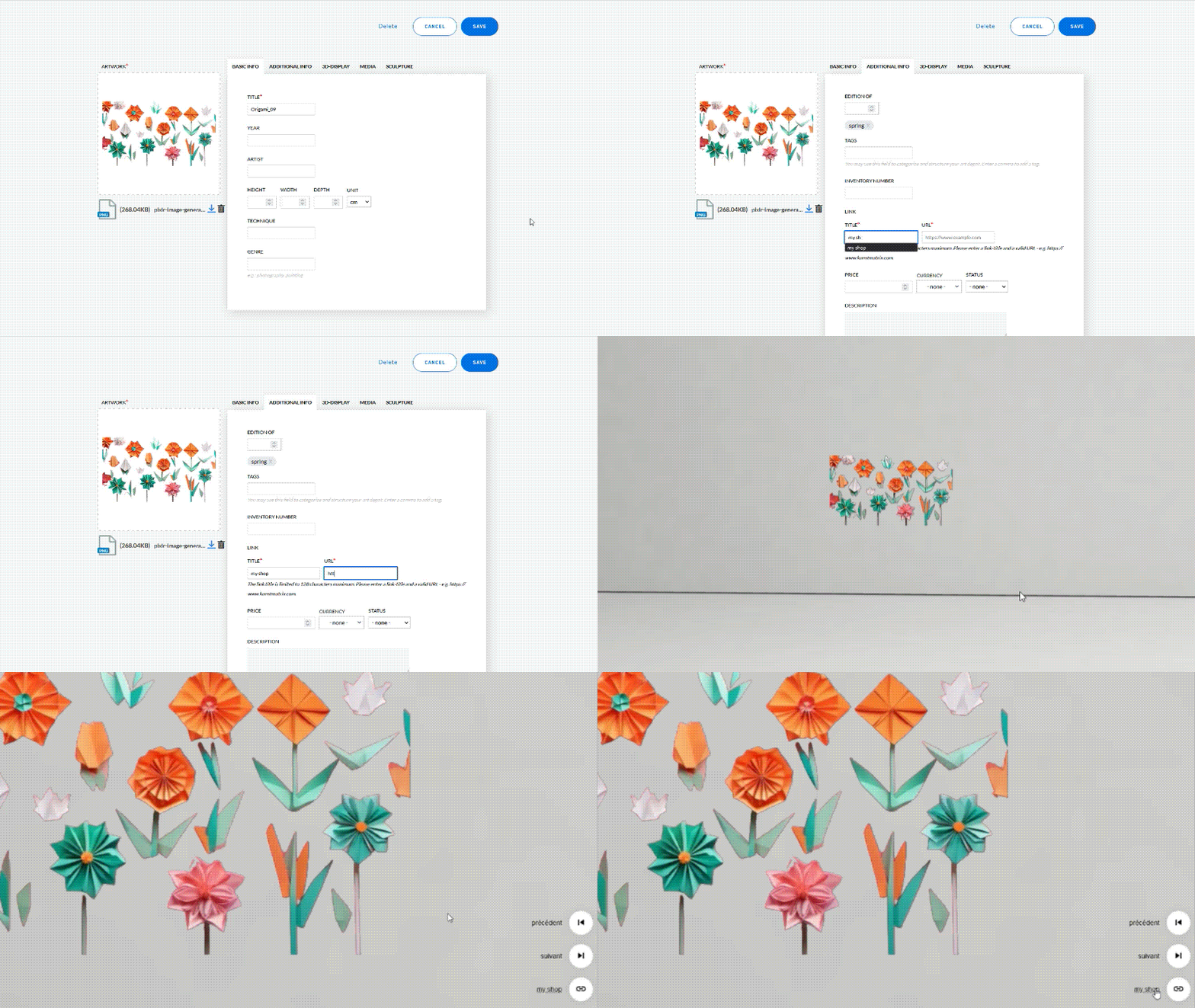
External webside EN

ADVANCED:

You can fine-tune the behavior of such an external link for your visitors, depending on how you wish to get your message across. Different effects are achieved by applying certain tags in the 'additional info' tab; use the exact spelling we list here:

1: 'openTab' will open a new page in the visitor's browser

2: 'externalDetails' opens the external link in a new window within the same page

3: 'callToAction' will result in a small popup window with the option to click on the bar for the external content.

Try out how this is best applied for your purposes. Generating the commands as text panels with our wall text tool is an especially fine-looking choice.

Further links: